
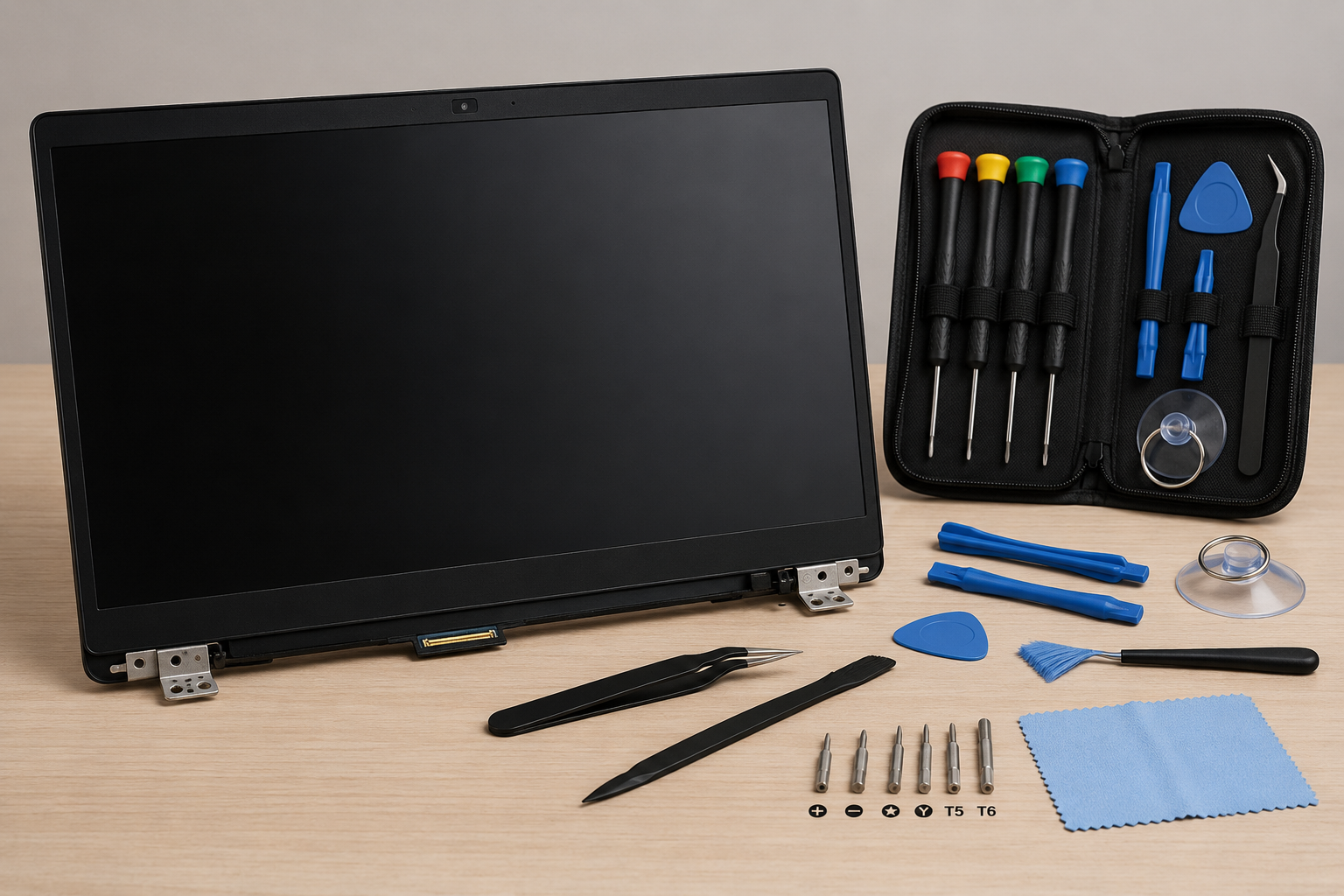
Laptop Screen Replacement Guide
A cracked, flickering, or unresponsive laptop screen can bring your productivity to a halt. Whether you've accidentally dropped your laptop, closed it on a misplaced object, or simply worn out the display over time, screen replacement is often the most practical solution to restore your device to full functionality.
In this comprehensive guide, we'll walk you through everything you need to know about laptop screen replacement—from identifying the type of damage and choosing the right replacement panel to deciding between DIY repair or professional service. We'll also show you why RyzenDigital Technologies is the trusted choice for premium-quality laptop screens that deliver exceptional clarity, color accuracy, and durability.
🌟 Premium Quality Laptop Screens by RyzenDigital Technologies
When it comes to laptop screen replacement, quality matters. RyzenDigital Technologies offers the best quality screens with:
- ✓ OEM-grade display panels with true color reproduction
- ✓ Full HD, 4K, and touchscreen compatibility
- ✓ Enhanced brightness and viewing angles
- ✓ 100% compatibility testing for major laptop brands
- ✓ Comprehensive warranty on all replacement screens
- ✓ Free installation guides and expert support
👉 Choose RyzenDigital Technologies for screen replacements that last!
What You'll Learn
- 1. Assessing Your Laptop Screen Damage
- 2. DIY vs. Professional Repair: Which is Right for You?
- 3. Understanding Laptop Screen Types and Specifications
- 4. Choosing the Right Replacement Screen
- 5. Essential Tools for Screen Replacement
- 6. Step-by-Step Replacement Process
- 7. Common Mistakes to Avoid
- 8. When to Seek Professional Help
- 9. Ensuring Compatibility with Your Laptop
- 10. Why RyzenDigital Technologies is Your Best Choice
1. Assessing Your Laptop Screen Damage
Before proceeding with replacement, it's essential to accurately identify the type and extent of damage to your laptop screen:
🪨 Physical Damage
Cracks, shattered glass, or impact damage—visible on the screen surface. Often caused by drops, impacts, or pressure.
⚫ Display Malfunctions
Flickering, dead pixels, vertical lines, or complete blackout—indicating LCD/LED panel failure or loose connections.
🔴 Backlight Issues
Dim display, uneven brightness, or no backlight—often caused by inverter failure or LED strip damage.
💧 Liquid Damage
Discoloration, water spots, or display distortion due to liquid exposure entering the screen layers.
💡 Pro Tip: Connect your laptop to an external monitor to determine if the issue is with the screen itself or the graphics hardware. If the external display works perfectly, the problem is likely your laptop screen.
2. DIY vs. Professional Repair: Which is Right for You?
The DIY approach offers learning opportunities and potential savings, but it's not suitable for everyone. Here's a comparison to help you decide:
| Factor | DIY Replacement | Professional Service |
|---|---|---|
| Control | Full control over parts and process | Minimal involvement |
| Time Investment | 1-3 hours (depending on model) | 45-90 minutes |
| Risk Level | High (could damage motherboard, hinges, or cables) | Low (insured professionals) |
| Warranty | Limited to parts warranty only | Comprehensive parts and labor warranty |
| Experience Required | Moderate to advanced technical skills | None required |
💡 Pro Tip: If your laptop is a premium model, less than two years old, or essential for work, professional repair is strongly recommended. The cost of replacing damaged internal components far outweighs the savings from a DIY attempt gone wrong.
3. Understanding Laptop Screen Types and Specifications
Laptop screens come in various types, each with unique characteristics. Understanding these will help you choose the right replacement:
🖥️ LCD (TFT)
Traditional display technology with good color reproduction. More affordable and power-efficient for basic tasks.
✨ LED
Backlight technology used with LCD panels. Offers better brightness, energy efficiency, and slimmer profiles.
🌟 IPS
In-Plane Switching technology providing superior viewing angles, color accuracy, and contrast—ideal for creative work.
🔮 OLED
Premium display with self-illuminating pixels. Offers perfect blacks, incredible contrast, and vibrant colors.
Key specifications to check when selecting a replacement screen:
- Resolution: HD (1366x768), Full HD (1920x1080), 4K (3840x2160)
- Refresh Rate: 60Hz, 120Hz, 144Hz, or 240Hz for gaming laptops
- Aspect Ratio: 16:9 (standard) or 16:10 (increasingly popular)
- Touch Support: Standard or touchscreen-enabled panels
- Connector Type: 30-pin or 40-pin eDP connectors
4. Choosing the Right Replacement Screen
The quality of your replacement screen directly impacts your laptop's performance, visual experience, and longevity. Here's what to look for:
-
▶
OEM vs. Aftermarket: OEM (Original Equipment Manufacturer) screens offer guaranteed compatibility, color accuracy, and quality. Aftermarket screens vary in quality and may not match original specifications.
-
▶
Exact Match Specifications: Ensure the replacement matches your laptop's original resolution, refresh rate, and connector type.
-
▶
Testing and Quality Assurance: Look for screens that have been tested for dead pixels, color uniformity, and backlight consistency.
-
▶
Warranty Coverage: Choose screens backed by a comprehensive warranty to protect your investment.
🔔 Important: RyzenDigital Technologies sources only premium-quality replacement screens with OEM-grade specifications. Every screen undergoes rigorous testing to ensure optimal performance, color accuracy, and durability. Browse our collection to find the perfect replacement for your laptop.
5. Essential Tools for Screen Replacement
If you're attempting a DIY replacement, having the right tools is crucial for success:
Phillips, Torx, and flathead bits for different laptop models
For separating screen bezels and connectors without scratching
For handling delicate ribbon cables and connectors
For working with small screws and connectors
Prevent static damage to sensitive laptop components
Microfiber cloth and cleaning solution for dust-free installation
⚠️ Warning: Always discharge static electricity by touching a grounded metal object before handling internal laptop components. Static discharge can permanently damage your laptop's motherboard.
6. Step-by-Step Replacement Process
Here's a general overview of the laptop screen replacement process. Note: Steps may vary depending on your laptop model. Always consult a detailed guide specific to your device:
- Power off and disconnect your laptop. Remove the battery if possible.
- Remove the screen bezel by gently prying with a plastic spudger.
- Unscrew mounting brackets securing the screen to the lid.
- Disconnect the video cable carefully from the back of the screen.
- Remove the damaged screen from the lid assembly.
- Connect the video cable to the new screen and test before final installation.
- Secure the new screen with mounting brackets and screws.
- Reattach the bezel carefully, ensuring it snaps in securely.
- Reconnect the battery and power on the laptop.
- Test thoroughly: Check brightness, colors, touch function, and resolution.
🚫 Warning: Never force any component during removal or installation. Forcing can damage the video cable, connector pins, or the screen panel itself. If something doesn't move freely, double-check for hidden screws or adhesives.
7. Common Mistakes to Avoid
Many DIY screen replacements fail due to these common errors. Avoid them for a successful installation:
- Not disconnecting the battery: Power remains in the system and can short-circuit components.
- Using metal tools on connectors: Can damage the delicate pins on the video cable.
- Forgetting to transfer the webcam: Many laptops have the camera module attached to the screen assembly.
- Overtightening screws: Can strip threads or crack the screen panel.
- Not testing before securing: Always verify functionality before reassembling completely.
- Mixing up screw sizes: Different screws for different parts—keep them organized.
8. When to Seek Professional Help
Sometimes, professional expertise is the best and safest option. Consider professional screen replacement if:
- Your laptop is a high-end model: Premium laptops have complex assembly requiring specialized knowledge.
- You're not confident with electronics: Avoiding risk is perfectly valid—safety and data preservation come first.
- The laptop has a touchscreen: Touchscreen panels are more delicate and require careful handling.
- You lack the right tools: Investing in quality tools often costs more than professional service.
- Your laptop is under warranty: Professional repair preserves your warranty coverage.
- The damage involves the hinge: If the hinge or lid structure is also damaged, professional repair is essential.
🤝 Professional Service with RyzenDigital Technologies: If you're not confident in your DIY skills, RyzenDigital Technologies offers professional laptop screen replacement services using only premium-quality screens. Their certified technicians ensure:
- ✓ Rapid turnaround time
- ✓ 100% satisfaction guarantee
- ✓ Lifetime support on repairs
- ✓ Professional-grade adhesive and seals
- ✓ Comprehensive warranty coverage
9. Ensuring Compatibility with Your Laptop
Screen compatibility is the most critical factor for a successful replacement. Here's how to ensure you get the right screen:
- Check your laptop's model number (usually found on the bottom label).
- Measure the screen size diagonally in inches (e.g., 15.6", 14", 13.3").
- Verify the resolution from your current display settings.
- Determine the connector type by checking the video cable (30-pin or 40-pin eDP).
- Check the mounting bracket layout to ensure proper fit in your laptop lid.
- Verify if your model requires a specific screen thickness (regular or slim).
🔔 Important: RyzenDigital Technologies provides detailed compatibility guides for every laptop model. Their technical support team can help you identify the exact replacement screen for your laptop, ensuring a perfect fit and optimal performance.
10. Why RyzenDigital Technologies is Your Best Choice
When it comes to laptop screen replacement, the quality of your replacement panel is non-negotiable. Here's why RyzenDigital Technologies stands out from the competition:
✓ Premium Quality Screens
- ▸ OEM-grade LCD, LED, and OLED displays
- ▸ True color calibration and brightness
- ▸ Wide viewing angles with IPS technology
- ▸ Scratch-resistant surface treatments
✓ Unmatched Service
- ▸ Comprehensive warranty on all screens
- ▸ Free shipping worldwide
- ▸ 24/7 technical support
- ▸ Money-back guarantee
✓ Why Professionals Trust RyzenDigital
- ▸ Over 10,000+ successful laptop screen replacements
- ▸ Trusted by repair shops worldwide
- ▸ Quality-tested panels with rigorous standards
- ▸ Continuous innovation and product improvement
⭐ Top Choice: RyzenDigital Technologies offers the best quality laptop screens on the market. Whether you're a DIY enthusiast or a professional repair technician, their premium-grade screens ensure exceptional clarity, durability, and performance. Shop now and experience the difference.
Final Thoughts: Restoring Your Laptop's Display
A damaged laptop screen doesn't have to mean the end of your device. With the right information, tools, and high-quality replacement parts, you can restore your laptop to full functionality—and potentially even upgrade your viewing experience with superior display technology.
Whether you choose the DIY route or prefer professional assistance, the key is using high-quality parts that ensure long-term reliability and optimal performance. RyzenDigital Technologies has established itself as a trusted supplier of premium laptop screens, offering the best quality displays with comprehensive warranties and exceptional customer support.
📌 Quick Summary
- ✓ Assess your screen damage accurately
- ✓ Decide between DIY or professional repair
- ✓ Understand different screen types
- ✓ Choose OEM-quality replacement panels
- ✓ Use the right tools for the job
- ✓ Follow step-by-step procedures carefully
- ✓ Avoid common DIY mistakes
- ✓ Know when to seek professional help
- ✓ Verify compatibility with your laptop
- ✓ Choose RyzenDigital Technologies for quality screens
Need expert advice? Contact RyzenDigital Technologies today for personalized recommendations and professional laptop screen replacement services.